 2dab34c7d5
|
||
|---|---|---|
| assets | ||
| docs | ||
| LICENSE | ||
| README.md | ||
| preview.png | ||

README.md
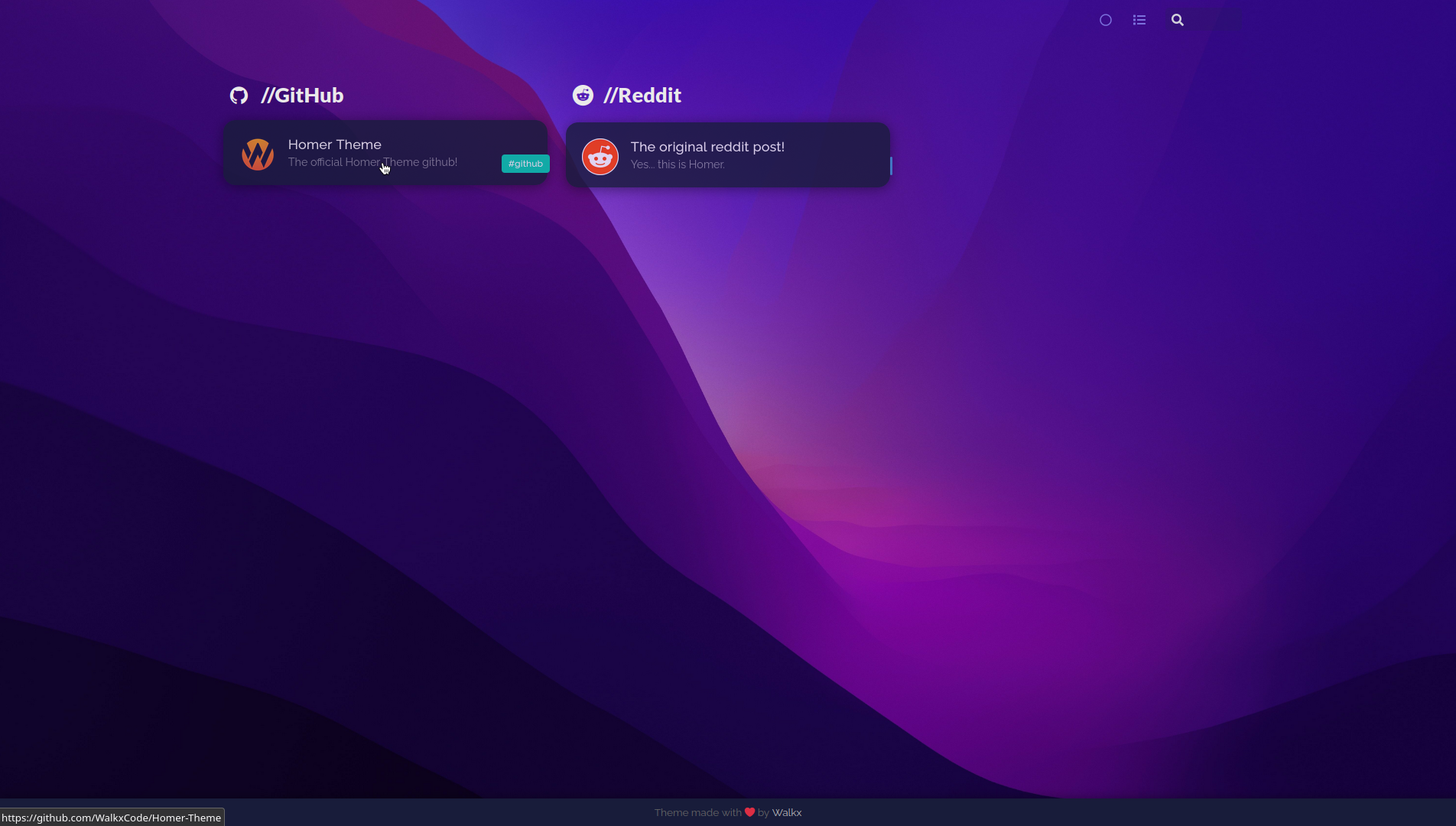
Homer Theme
Homer Theme is a theme for the Homer Dashboard.
• Demo [Coming Soon] • Getting started •
Table of Contents
All changes
- Custom font
- Spacing between cards
- Transparent cards
- Custom tag colors
- Custom wallpaper
- No header
Getting started!
Homer Theme is a theme for the Homer Dashboard.
Getting the assets folder
Clone this repo. You can do this by running:
$ git clone https://github.com/WalkxCode/Homer-Theme.git
Now cd into the newly created folder.
$ cd Homer-Theme
And now for the final step move the assets folder into your Homers www folder.
You can find this directory by running
$ sudo docker inspect -f '{{ .Mounts }}' homer
Before moving the folder, make sure to create a backup. You can do this by running
$ sudo mv /homer/www/assets /homer/www/assets-backup
Make sure you replace /homer/www/assets with the location of your homers www folder.
Move the folder by running
$ sudo mv assets /homer/www
Make sure you replace /homer/www with the location of your homers www folder.